Inbox check
Warns about clipping, link shorteners, missing alt text and spammy phrases before you send.

One workspace for your contacts, email campaigns, sequences and automations, sent from your own Gmail.
 Gmail
 Google Workspace
 Claude
 Cursor
 MCP
 ZohoSoon
 Google FormsSoon
 TypeformSoon
No two teams sell the same way, or to the same people. Pick the campaigns, sequences and automations that fit you, and change them as you go.
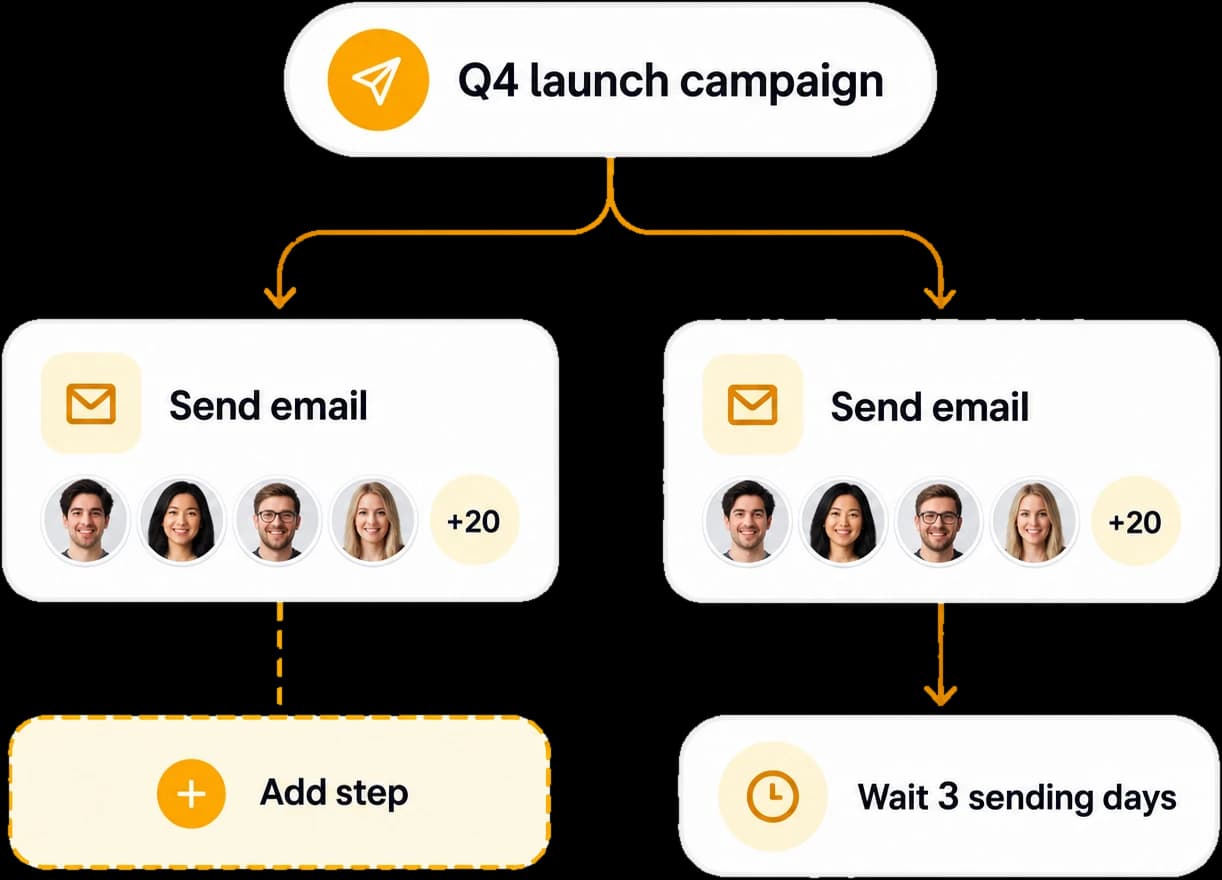
Send one email to many people, personalized per person, from your own Gmail at a pace it can keep up with.
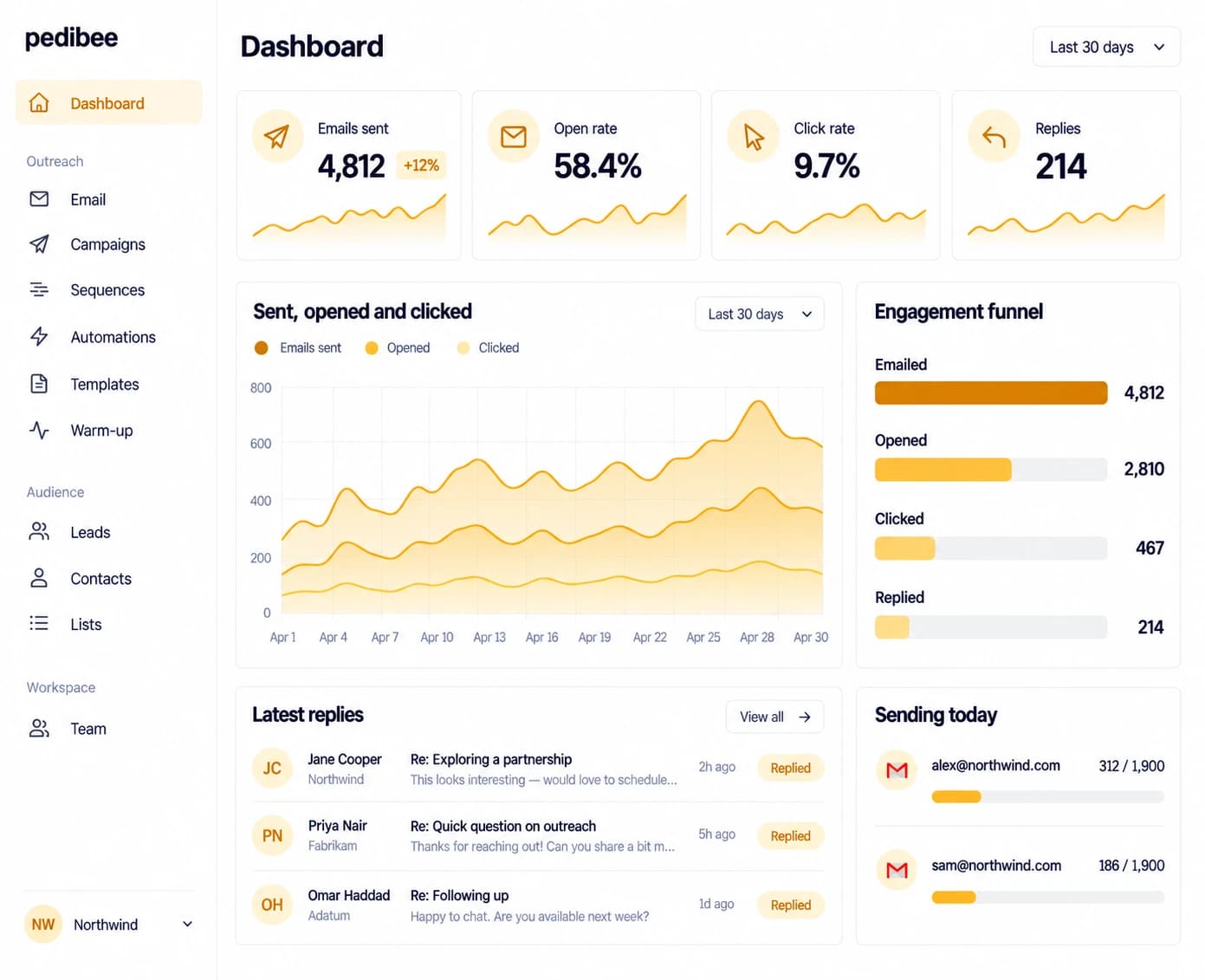
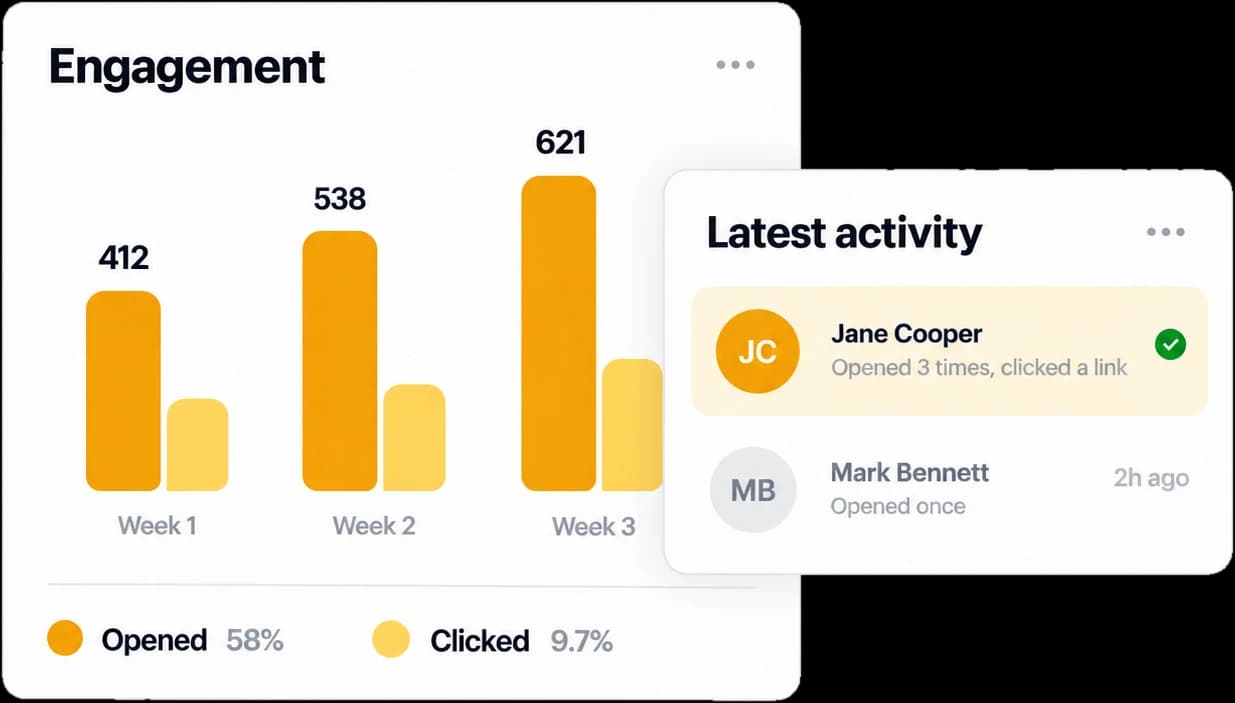
See who opened, clicked and replied, tracked on your own domain and recounted from real events.
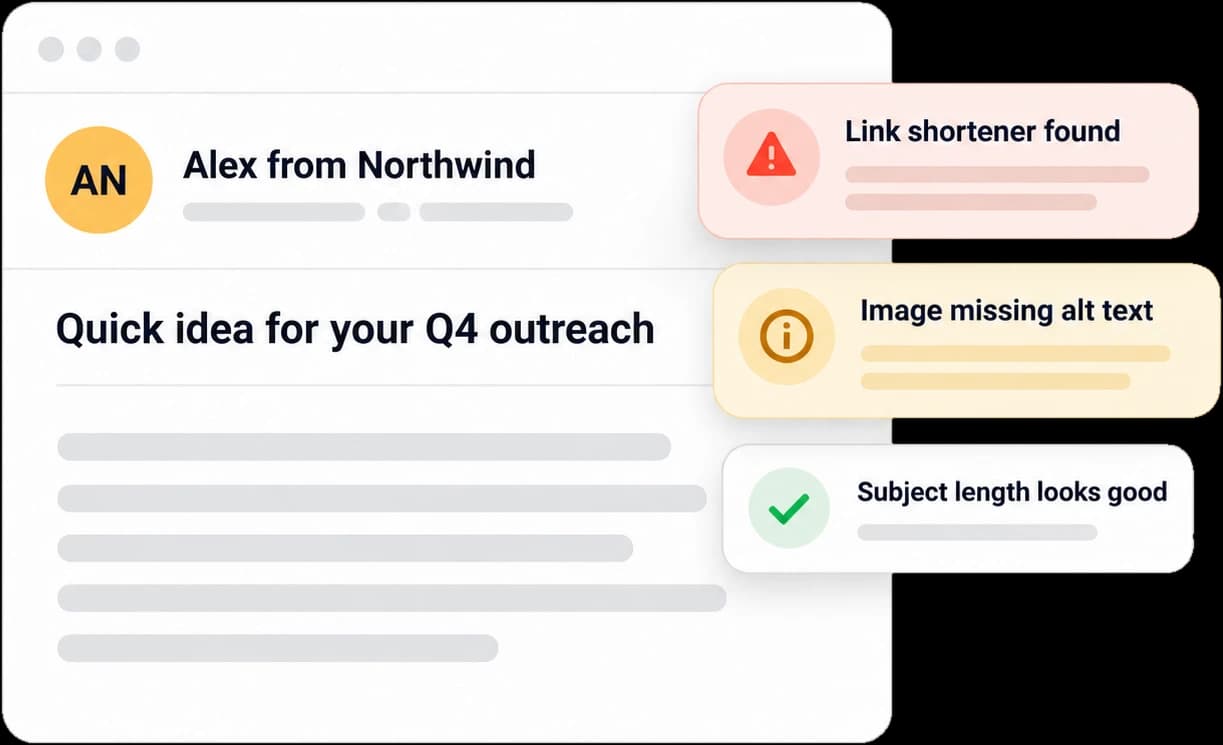
Preview every email as it will be sent and fix the links, images and subject lines that get flagged.
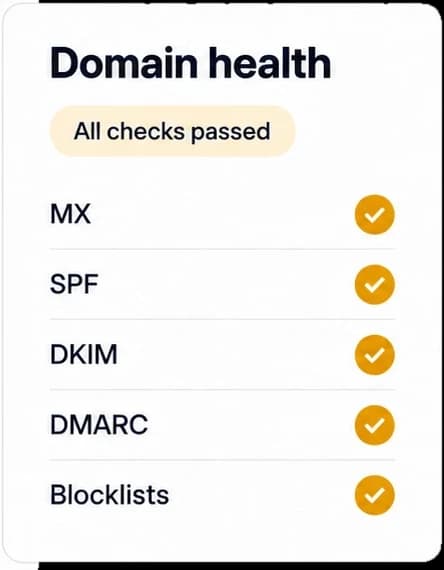
Check your domain’s MX, SPF, DKIM, DMARC and blocklists, and get each fix explained in plain words.
No two teams sell the same way, or to the same people. Pick the campaigns, sequences and automations that fit, and change them as you grow.
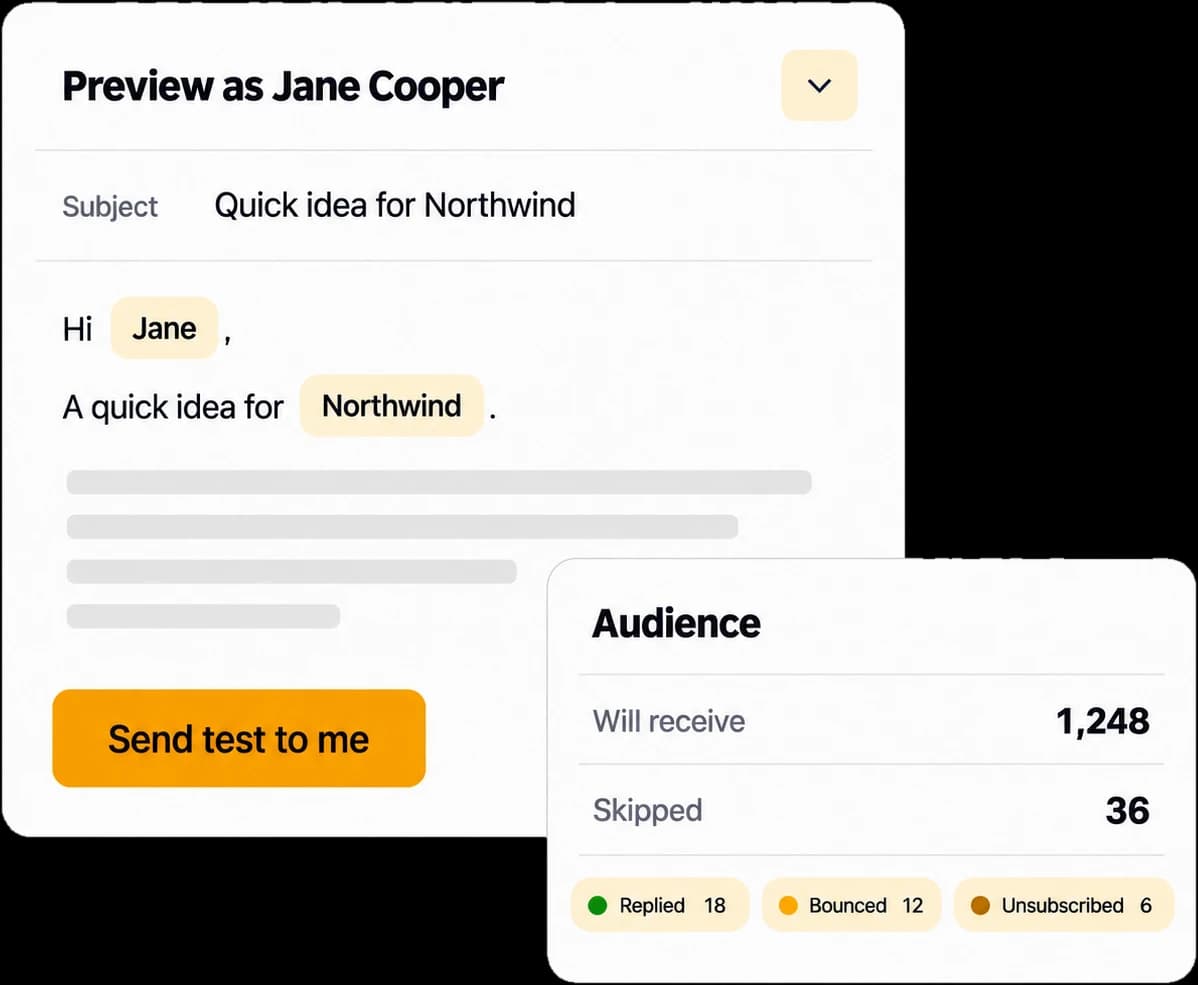
Preview the merged email for any person, send a test to yourself, and run the inbox check before a single campaign goes out.
Merge tags are filled per person, and anyone missing a value with no fallback is skipped.
People who replied, bounced or unsubscribed are left out.
The inbox check warns about clipping, link shorteners and spammy phrases.
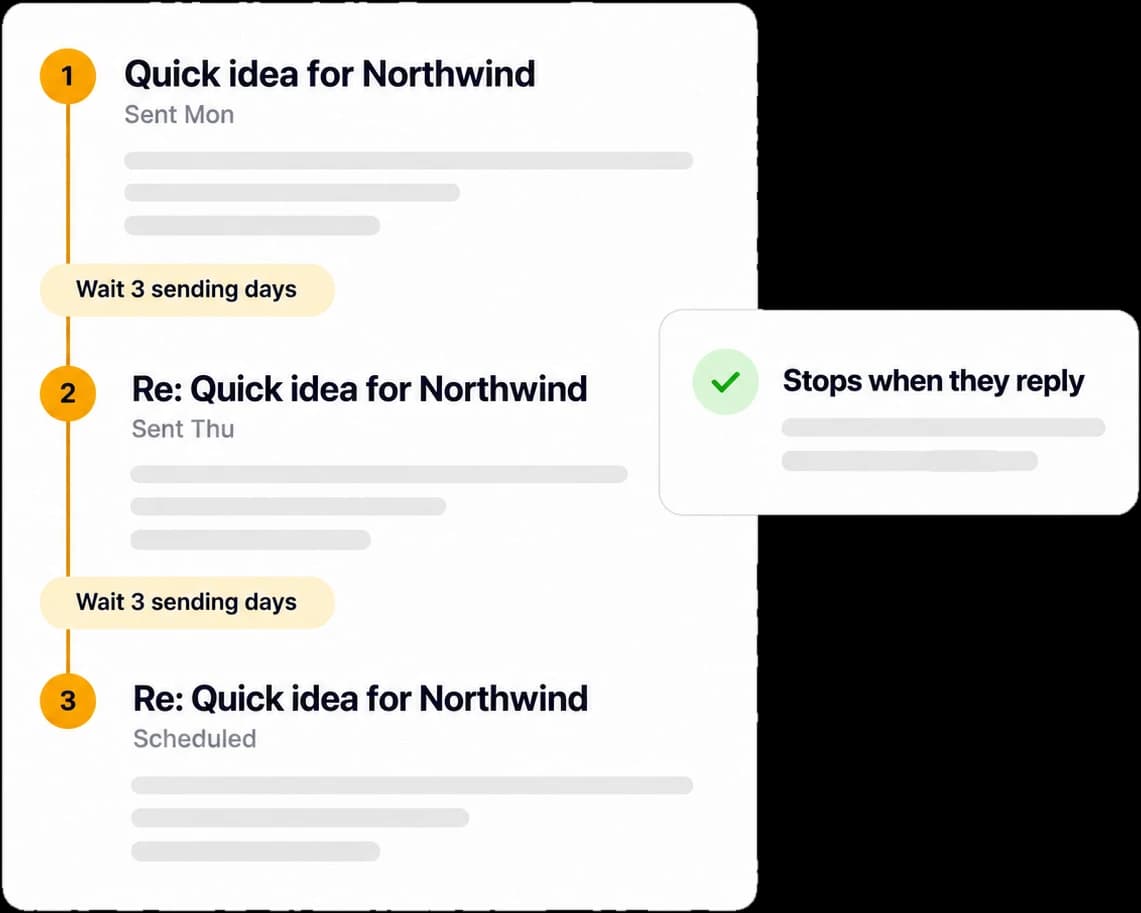
Steps wait in sending days, and every reply goes out in the same Gmail thread.
The dashboard shows sent, opened, clicked and replied for every step of a sequence, every day.
A dry run explains who would be skipped before anyone is enrolled.
Edit a live sequence and people on a removed step move on to the next one.
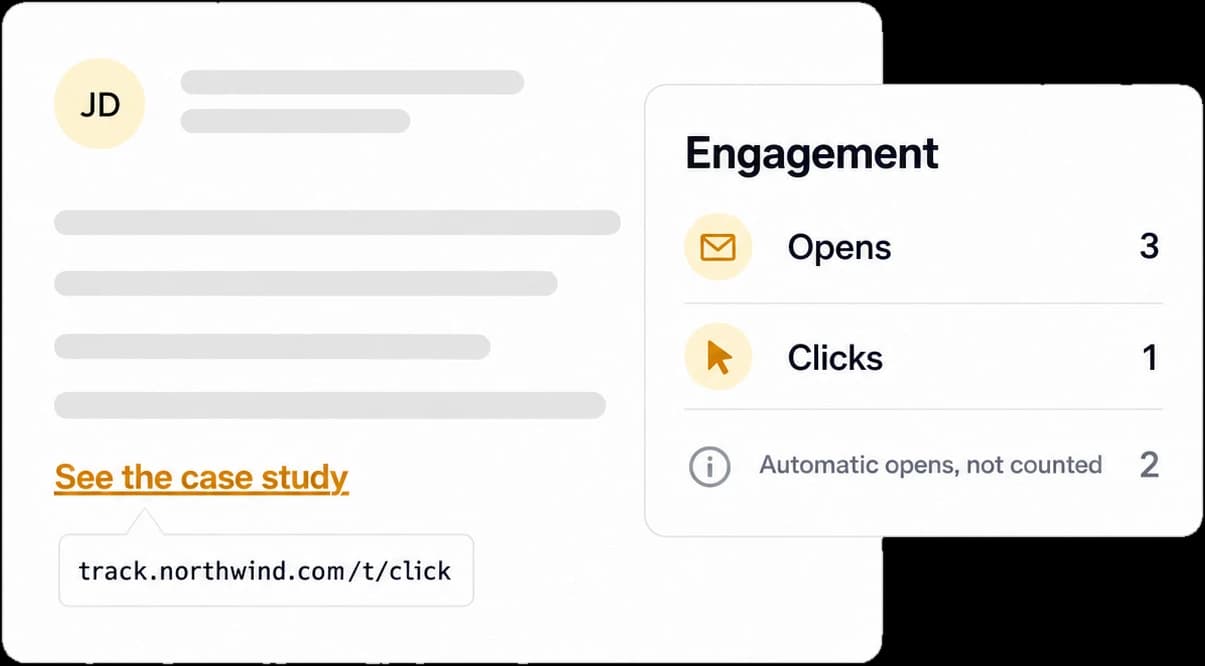
Links and pixels use a subdomain you own, never a shared one. Automatic opens from scanners and prefetchers are kept apart.
Each contact keeps a full activity history across campaigns, sequences and one-off emails.
Clicks from link scanners and bots are recorded but never counted.
Every campaign, sequence and one-off email carries an unsubscribe link and a one-click header, and everyone who opts out is listed.
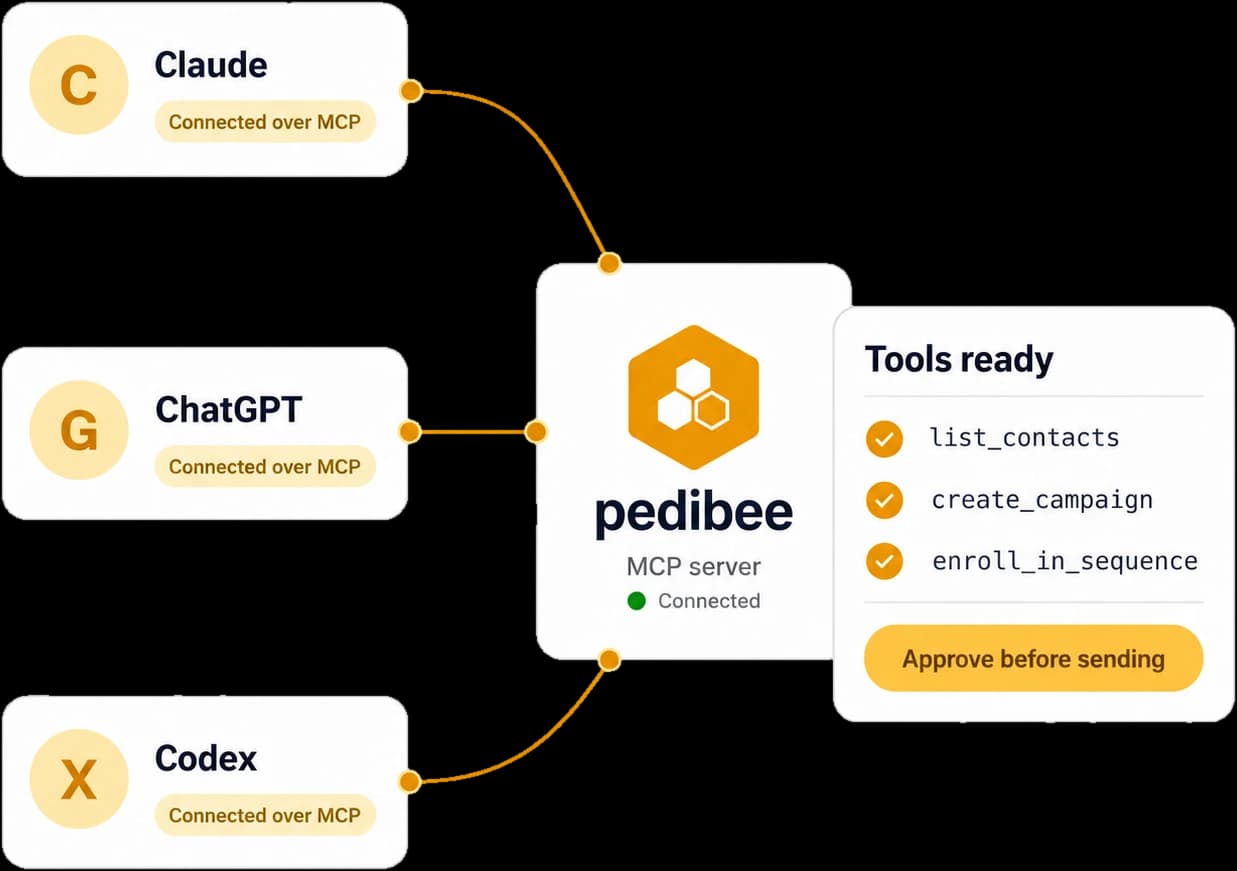
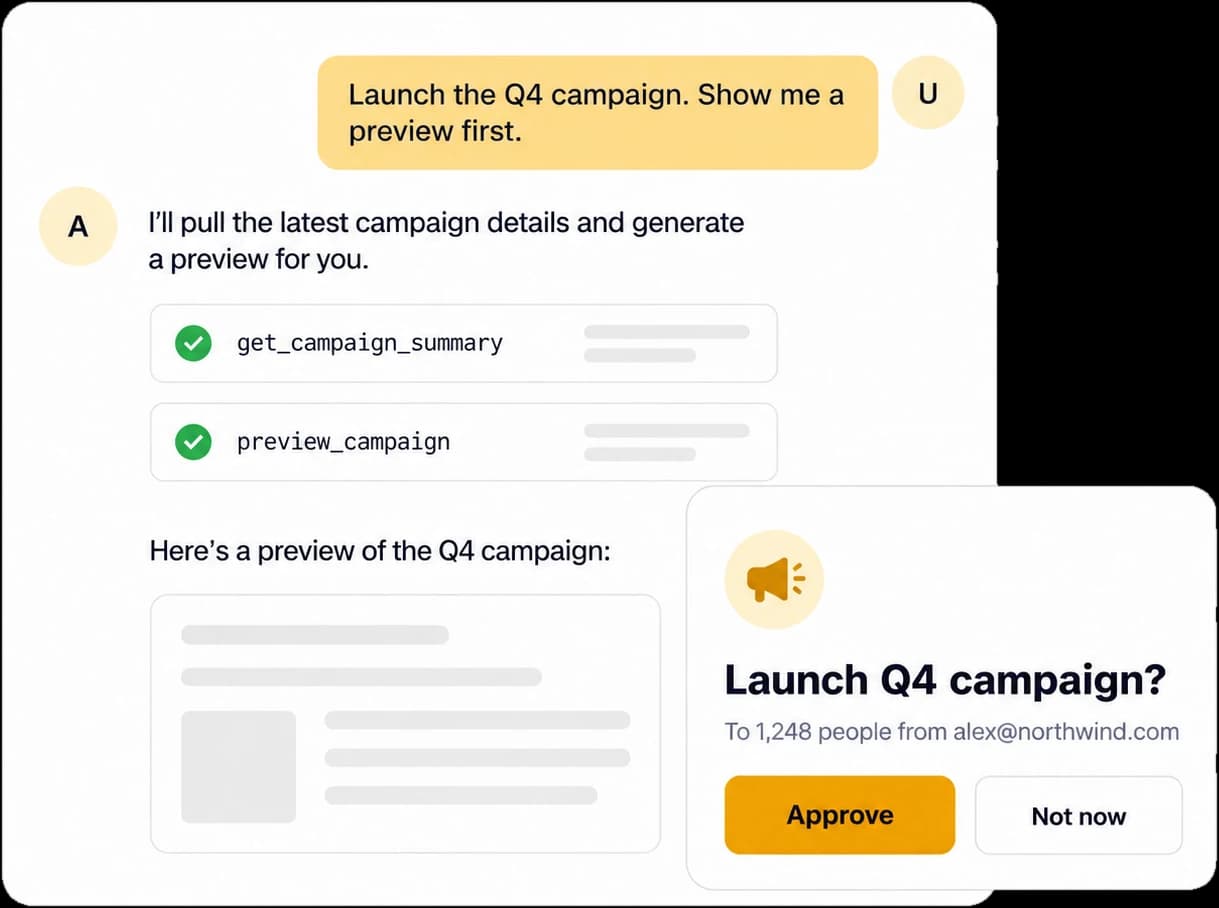
Connect your assistant over MCP and it works with the same tools you do.
Each connection only lists the tools that its scopes and the signed-in person’s role allow.
A grant can be locked to one Gmail so it never sends from another.
Deletes and sends are confirmed first, and every call is logged by tool name.
Every plan sends from the Gmail accounts you connect, under Google’s own daily limits. You pay per workspace, never per email or AI credit.
For founders trying Pedibee: one Gmail account, your first campaigns and a short follow-up sequence.
$0
For sales teams that send every day, with follow-ups, automations, an API and shared roles.
$59
For larger teams sending from many accounts, with priority support and help getting set up.
$199
Guides on cold email, deliverability and automations, written for teams that send outreach from their own Gmail.

Many opens and some clicks aren't people. Here are the rules we use to spot them, and the signals worth acting on.

The error means one Google account used up its daily sending quota. Here is which limit, how long it lasts, and how to recover safely.

Reputation isn't in the v2 API. Spam rate, authentication, delivery errors and compliance status are, and they tell you what to fix.
Check every email before it goes, check your domain records and verify every address, so more of your email lands in the inbox.
Warns about clipping, link shorteners, missing alt text and spammy phrases before you send.

Checks MX, SPF, DKIM, DMARC and blocklists for your domain and explains each fix.

Checks each address before a send, so fewer emails bounce and your sender reputation stays healthy.