
Your AI assistant, now on your sales team.
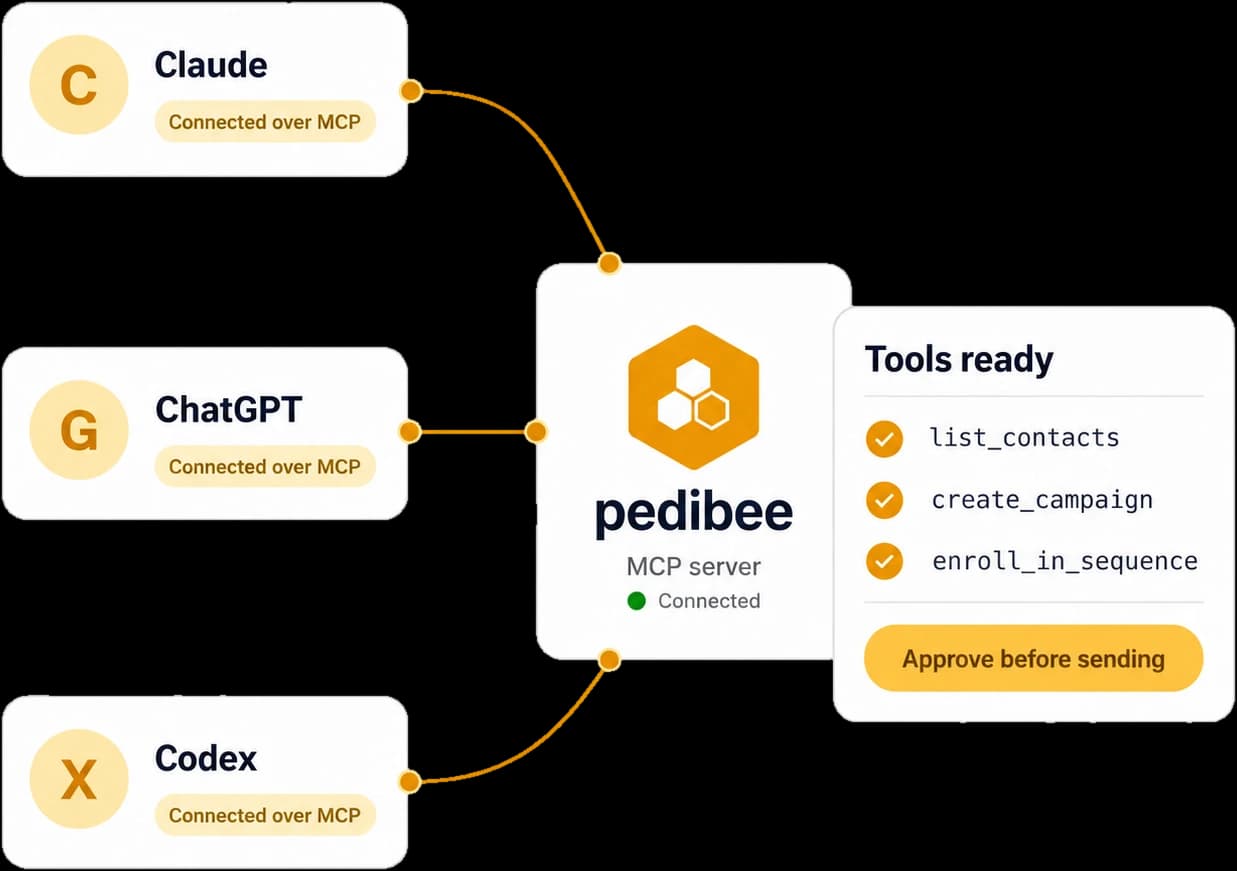
Connect Claude, ChatGPT or Cursor to Pedibee. It finds the people, builds the campaigns and runs the follow-ups, and nothing is sent until you say yes.
↵
- Reading the webinar listlist_contacts
- Checking who can joinenroll_in_sequence · dry run
- Waiting for your approval
- Enrolling 4 peopleenroll_in_sequence
Works with
- Claude
- ChatGPT
- Claude Code
- Cursor
- VS Code
- Your own agent
How your assistant reaches your workspace
Your assistant never touches your data directly. Every request goes through the Pedibee server, which checks it against your rules first.
Your assistant
- Claude
- ChatGPT
- Cursor
- VS Code

Your workspace
- Companies and contacts
- Campaigns and sequences
- Automations
- Warm-up
Pedibee server
- Your role
- The access you approved
- Your Gmail lock
- Rate limits
Add Pedibee to your assistant
Paste the server address in Claude, ChatGPT, Cursor or VS Code and click Connect.
Approve it in Pedibee
Choose the workspace and what it may do. It never gets more than your own role.
Ask in plain words
It works with your real companies, contacts and campaigns, and asks before it sends.
Work you can hand off today
Pick a job. Your assistant does the clicking and shows you the result before anything goes out.
You ask
“Add Northwind and their CTO Jane Cooper, then put Jane in the Q4 list.”
Tools it uses
What it does
- 1
Checks Northwind is not already in the workspace.
- 2
Creates the company with Jane as its first contact.
- 3
Adds Jane to the Q4 list and reports both back.
Nothing sends without your yes
An assistant is only as safe as the rules the tool holds it to. These are enforced by the Pedibee server, whatever the assistant tries.
Your assistant wants to launch a campaign
From you@yourcompany.com, inside your sending window. People who replied or unsubscribed are skipped.
Access you choose
Read only, full access, or area by area. Never more than your own role.
Sending is separate
Sending email is its own permission. Without it the assistant prepares everything and you launch.
One Gmail, if you want
Lock a connection to one Gmail across emails, campaigns, sequences, automations and warm-up.
Confirmation first
Send and delete tools tell the assistant to show you what will happen and get a go-ahead.
Dry runs
Enrolling people in a sequence can report who would be skipped, and why, before anything is sent.
Limits and logs
Sixty calls a minute and 5,000 a day per connection, and one log line per call without your data.