Know every company and every person
A company is a business you sell to. A contact is a person there. Everything you send and log lands on one timeline, and the numbers come from it.

Companies
Status, owner, tags, tier and size, with filters, sorting and bulk changes to 500 at once.

Contacts
One record per person with a stage that moves forward on its own as you email and they reply.

Custom fields
Add up to 50 fields of your own: text, number, date, dropdown, checkbox or link.

Spreadsheet import
Bring in up to 10,000 rows with column mapping, and duplicates matched by domain.

Activity timeline
Every email, call, LinkedIn message and meeting for a person or a whole company.

Follow-up reminders
Set a follow-up date on a company or contact and see what is due on the dashboard.
Send from your own Gmail, one person at a time
Every email leaves from a Google Workspace account you connect and shows in its Sent folder. Pedibee paces it so Gmail keeps trusting you.

Campaigns
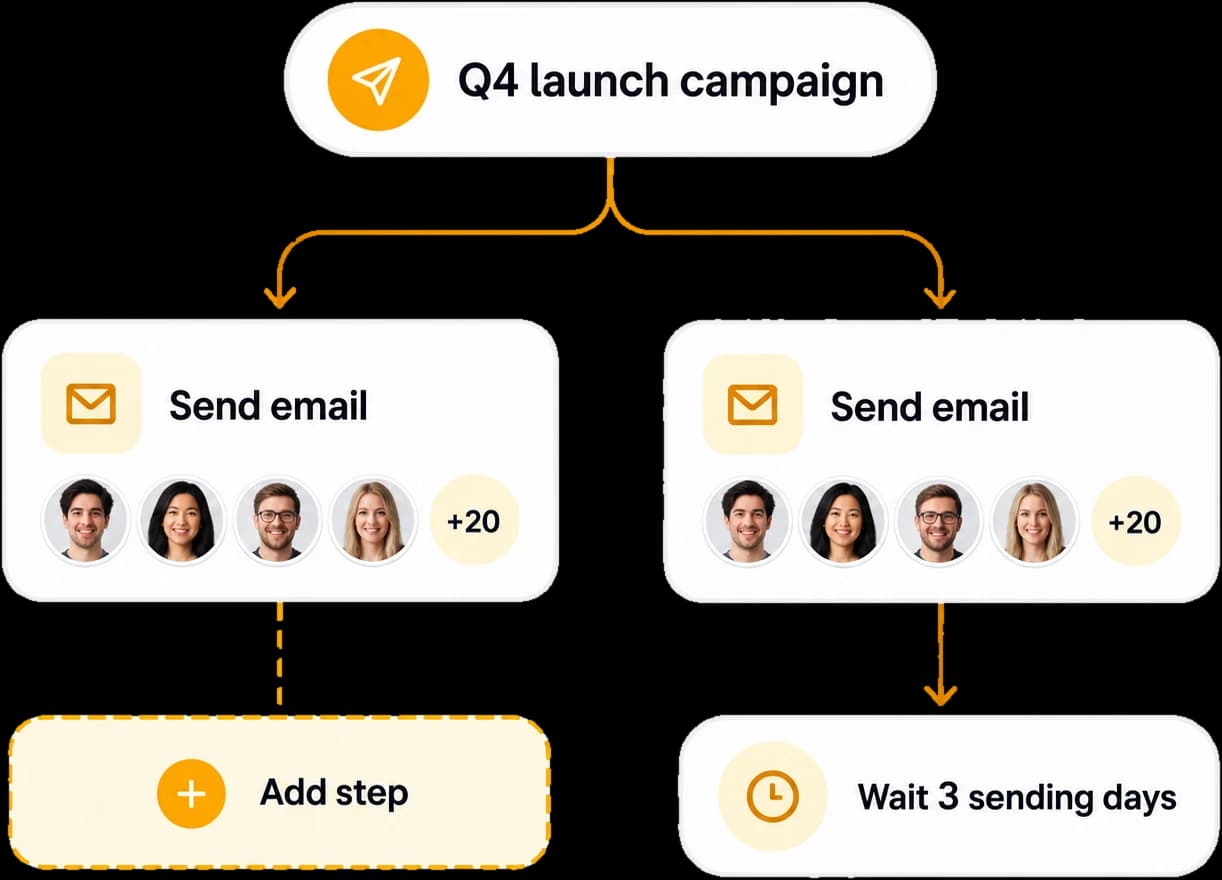
One email personalized for each person, with a preview, a test send and a schedule.

Sequences
Follow-ups a few sending days apart, in the same Gmail thread, that stop on a reply.

One-off and scheduled emails
Write a single email from the Email page and send it now or at a time you pick.

Templates and email builder
Drag rows and blocks that stack on phones, or write your own HTML.

Signatures
Keep up to 50 signatures with a default, added to every email when it is sent.

Several Gmail accounts
Connect as many as you need, pick one per campaign and name a backup for busy days.
Send the right email when something happens
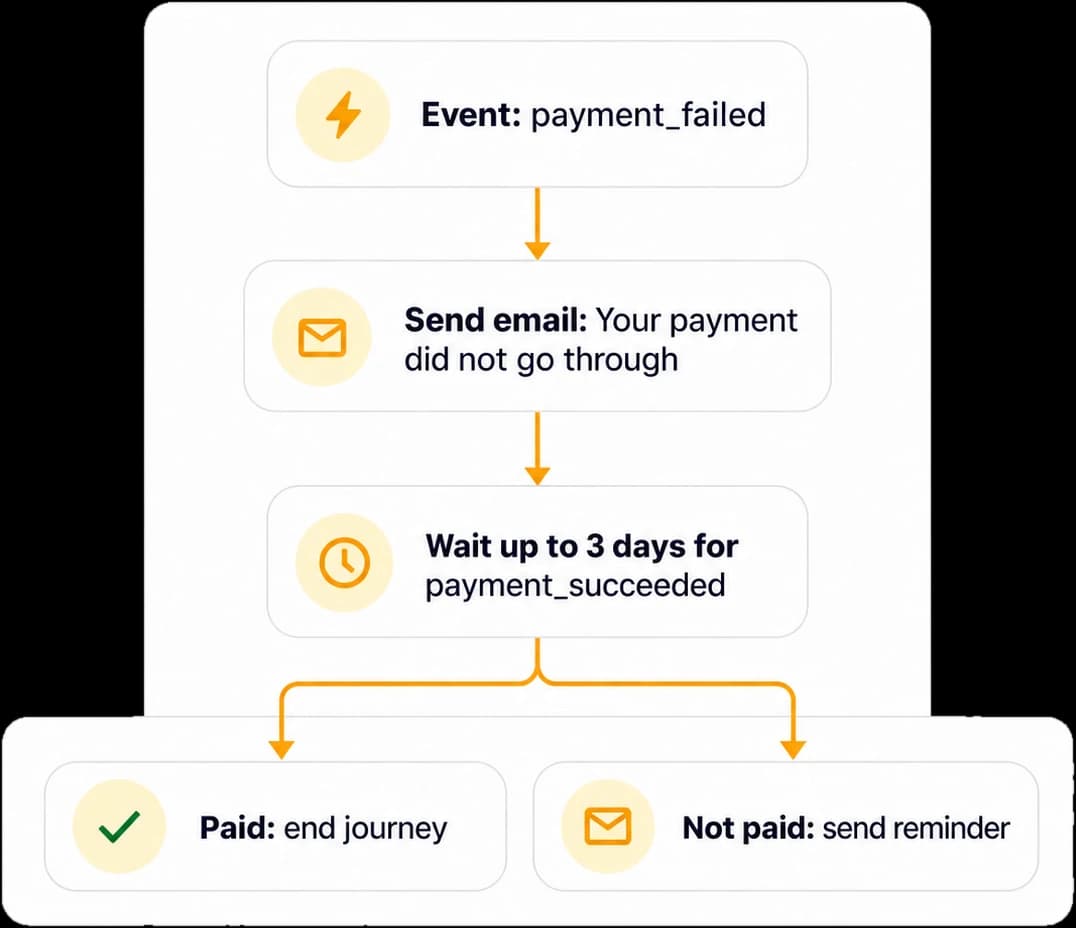
An event from your product starts a journey for that person: emails, waits and branches, ended early when the goal is reached.

Event-triggered journeys
Send emails, wait, branch on what people did, update contacts and notify your team.

Stripe and Paddle
Connect in three steps and send emails for failed payments, renewals and trials.

Webhooks and API events
Send events from your app, your website or any tool that can post to a URL.

Goals and exits
A journey ends as soon as the person pays, books or does whatever it was for.
Land in the inbox, and stay there
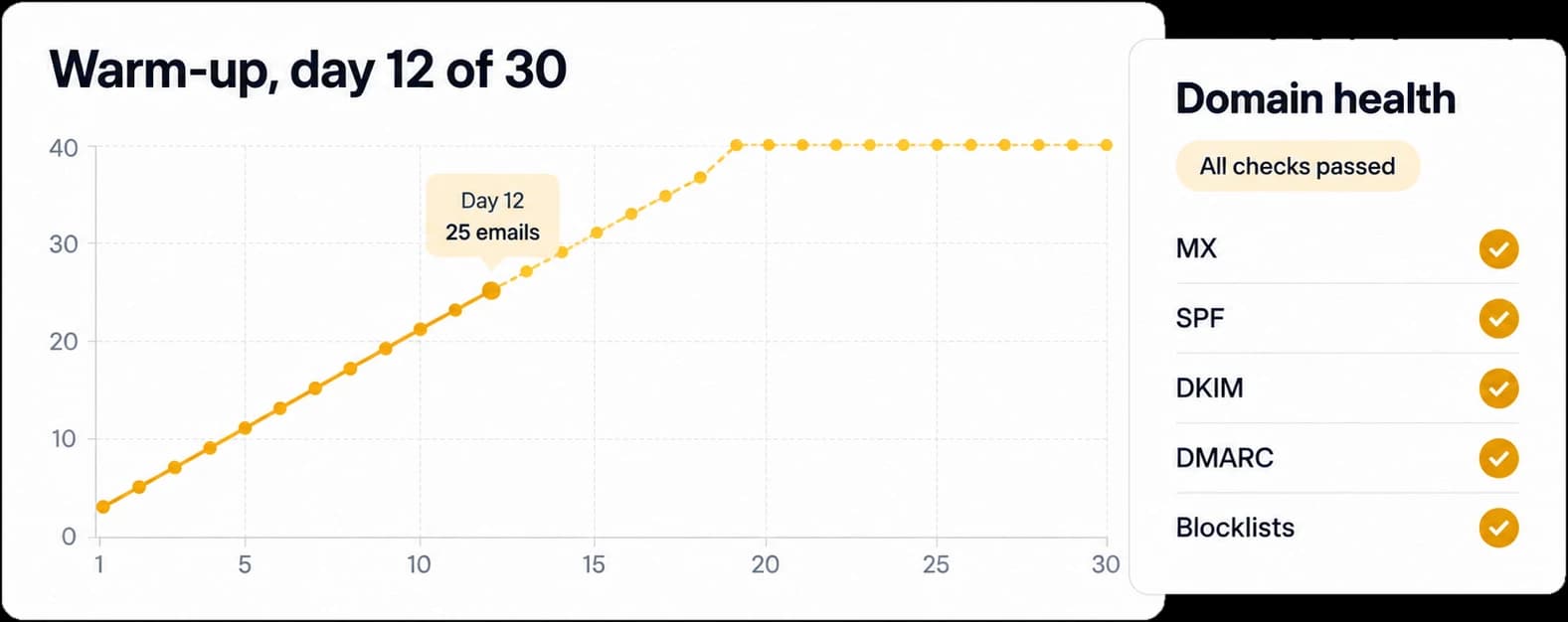
The work that decides whether anyone reads you is built in: warm-up, DNS checks, verification and an inbox check before you send.

Mailbox warm-up
Thirty sending days of a few more emails each day, so a new account earns trust.

Domain health
Checks MX, SPF, DKIM, DMARC and blocklists for your domain and explains each fix.

Email verification
Checks each address before you send, so bounces never hurt your reputation.

Gmail reputation
Spam rate and authentication results from Google Postmaster Tools, in one place.

Inbox check
Warns about clipping, link shorteners, missing alt text and spammy phrases.

Unsubscribes
One-click unsubscribe links and a do-not-email list every send respects.
See what worked, counted honestly
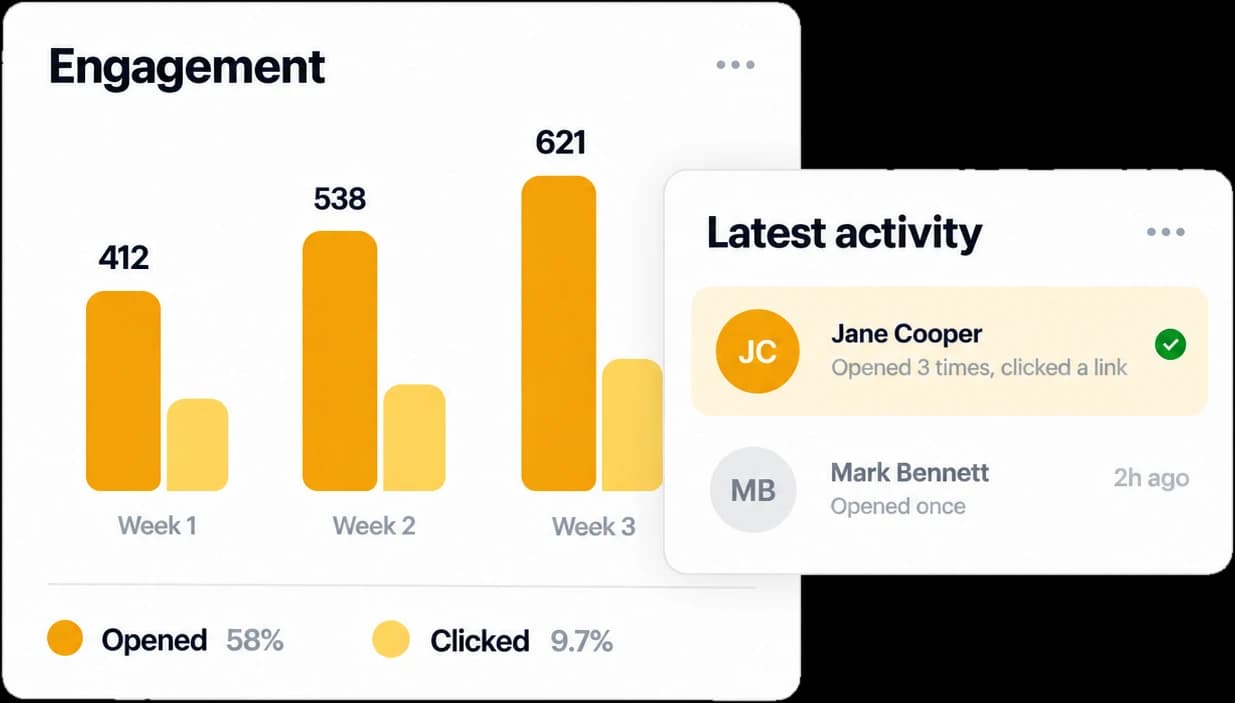
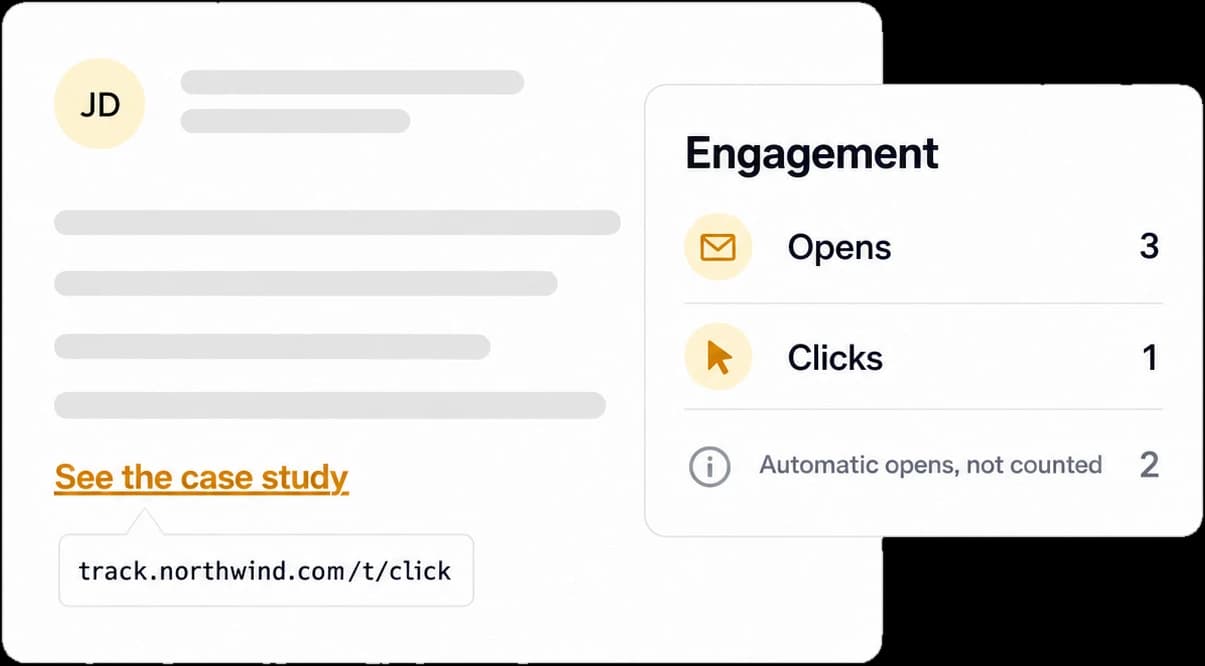
Opens and clicks are tracked on your own domain, and the ones made by scanners and mail apps are kept out of the numbers.

Your own tracking domain
Links and pixels use a subdomain you own, set up with one DNS record or one click.

Real opens and clicks
Apple Mail prefetch and link scanners are recorded but never counted.

Dashboard and funnel
Emails sent, opened, clicked and replied over time, with your most engaged companies.

Link reports and exports
See which links people clicked, and export campaign results as CSV.
Built for teams, open to your tools
Run several products from one account, give each person the right access, and connect your own code or AI assistant.

Workspaces
Keep each product or company separate and switch between them in one click.

Roles and invites
An owner, managers and read-only members, invited by email to one or many workspaces.

REST API
Keys with read or write access per area, rate limits and full reference docs.

MCP for AI assistants
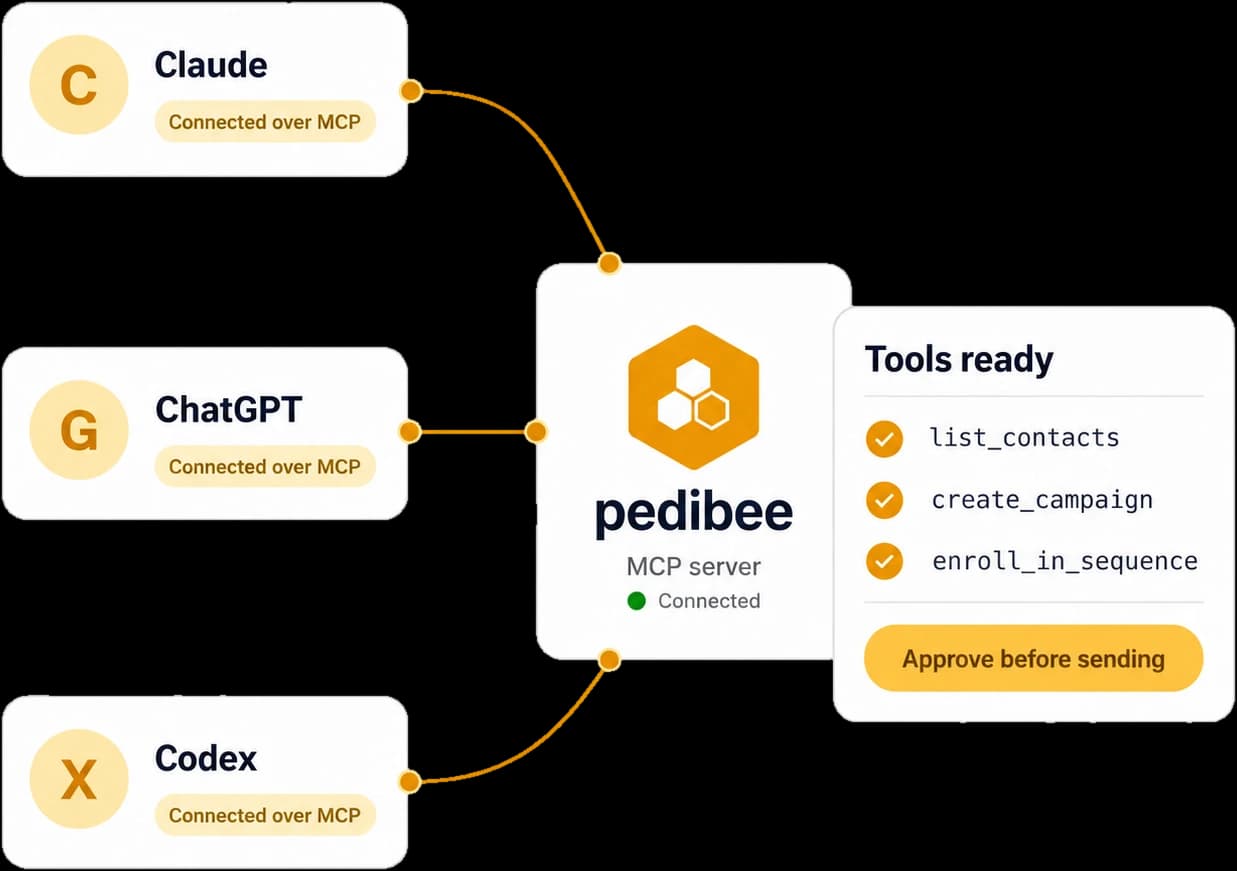
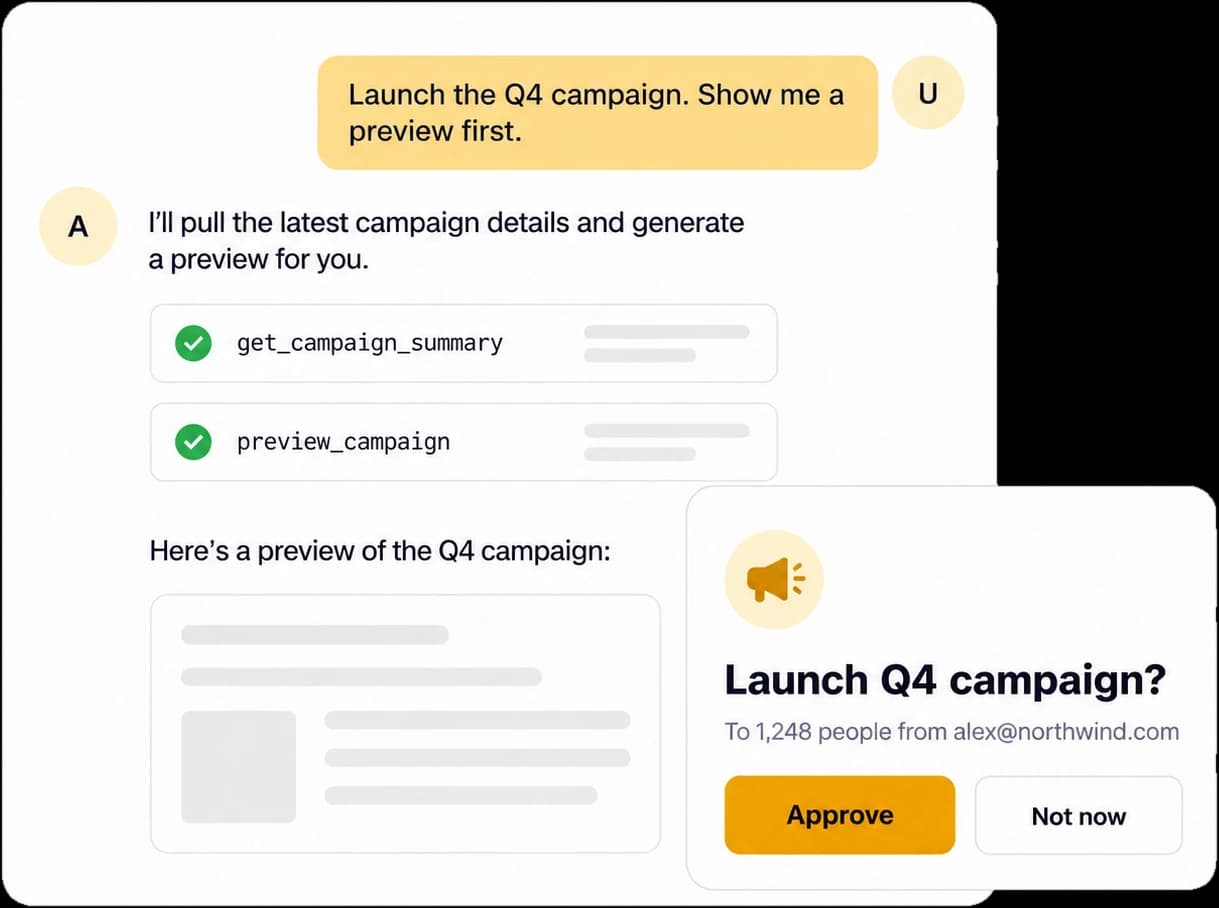
Connect Claude, ChatGPT or Cursor with one click, within the access you approve.

Security
Gmail send-only access, encrypted connections and keys stored only as a hash.